
Have you ever had to teach an AI how to do the same task over and over? For example, you may have to remind it to use a certain tone, follow a specific format, or apply the same set of instructions every time you prompt it. A feature called skills fixes that. A skill packages your instructions and best practices into something AI can reuse, so it can do the job your way every time. In under a year, skills have spread to nearly every major AI tool, including Claude, ChatGPT, and Gemini. Let's break down what skills are, how they work, and how to create your own.
So what is an AI skill?
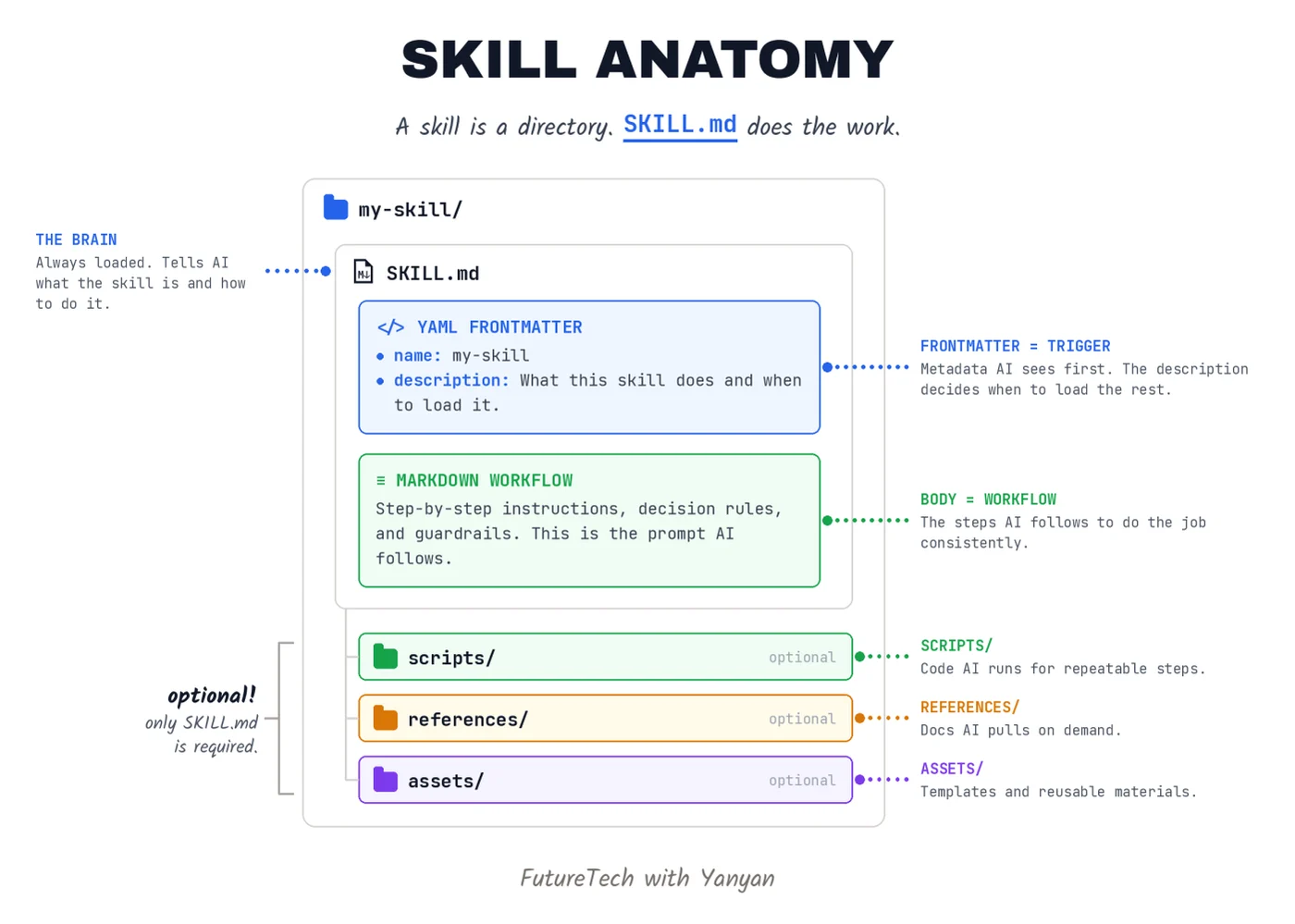
A skill is a folder that teaches an AI agent a repeatable procedure. One file inside it, SKILL.md, holds plain-language instructions: what to do, in what order, and what "done" looks like. Anthropic compares it to an onboarding guide for a new hire.
You write it once. From then on, whenever the matching work comes up, the agent opens the folder and follows it. This is also what separates a skill from a prompt. A prompt evaporates when the chat ends. A skill is saved, reusable, and shareable.
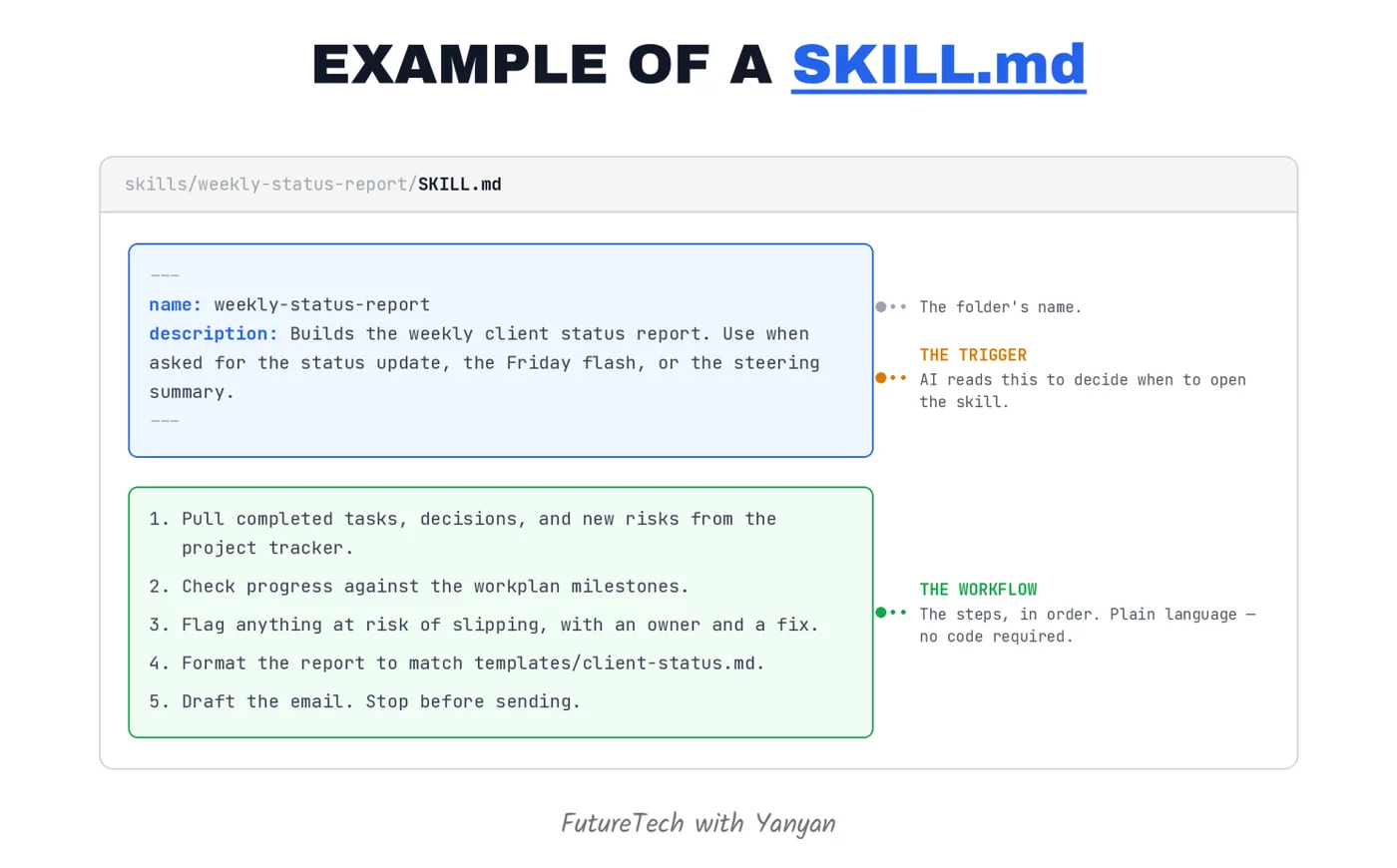
Here is an example of a SKILL.md for creating a weekly status report.
How did skills come about?
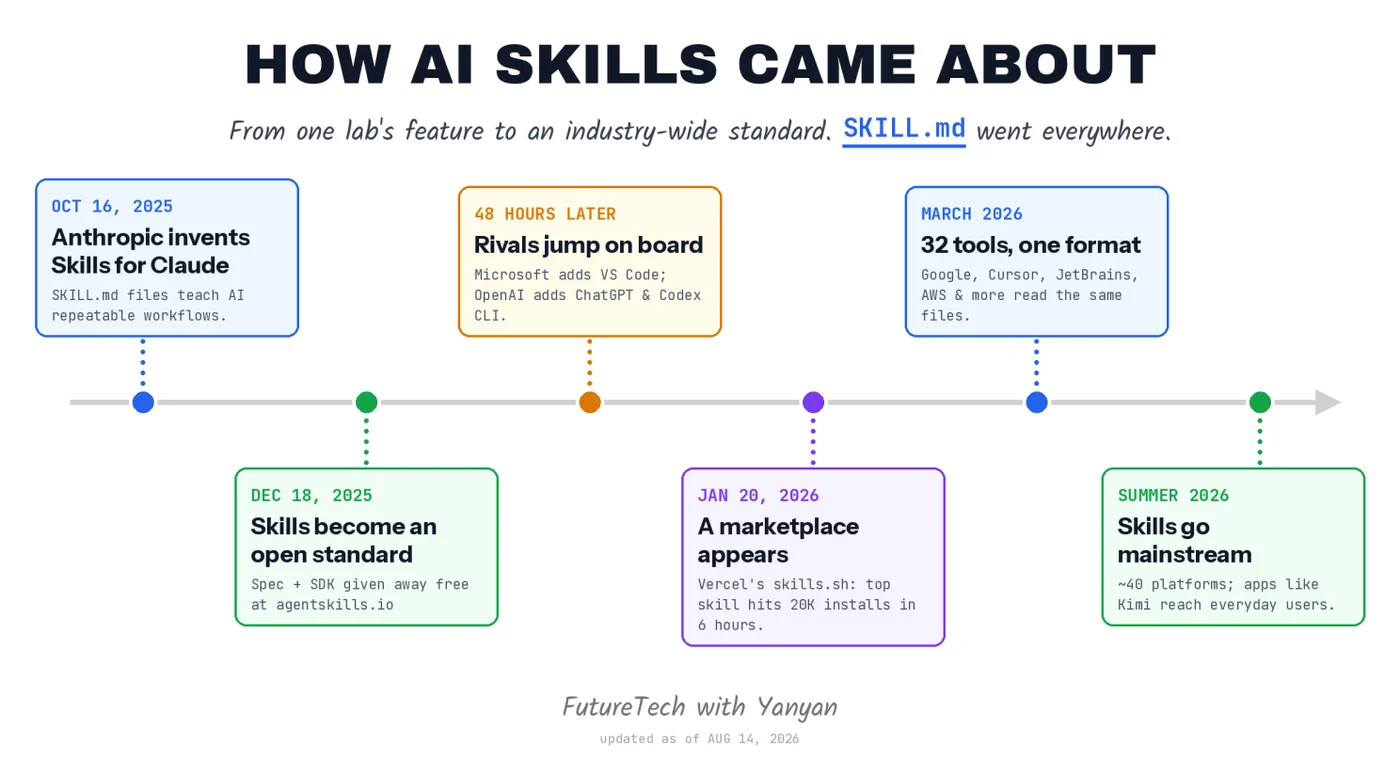
Anthropic, the maker of Claude, launched skills in October 2025. The twist came on December 18, when it gave the idea away as a free open standard at agentskills.io, complete with ready-made skills from partners like Canva, Notion, and Stripe.
Then things got fast. Microsoft and OpenAI added support within roughly 48 hours, according to VentureBeat and The New Stack. By March 2026, one industry count found 32 tools reading the same files, and Vercel now runs a marketplace listing tens of thousands of skills. This summer, consumer apps like Kimi brought skills to everyday users. In an industry where companies rarely agree on lunch, everyone agreed on a text file in about 90 days.
How do you create a skill?
You can either create one yourself or try a ready-made skill.
1. Create a skill yourself
The easiest way to create a skill is simply to describe what you want in the chat with AI. For example: “Create a skill that generates a weekly status report. It should do X, Y, and Z.”
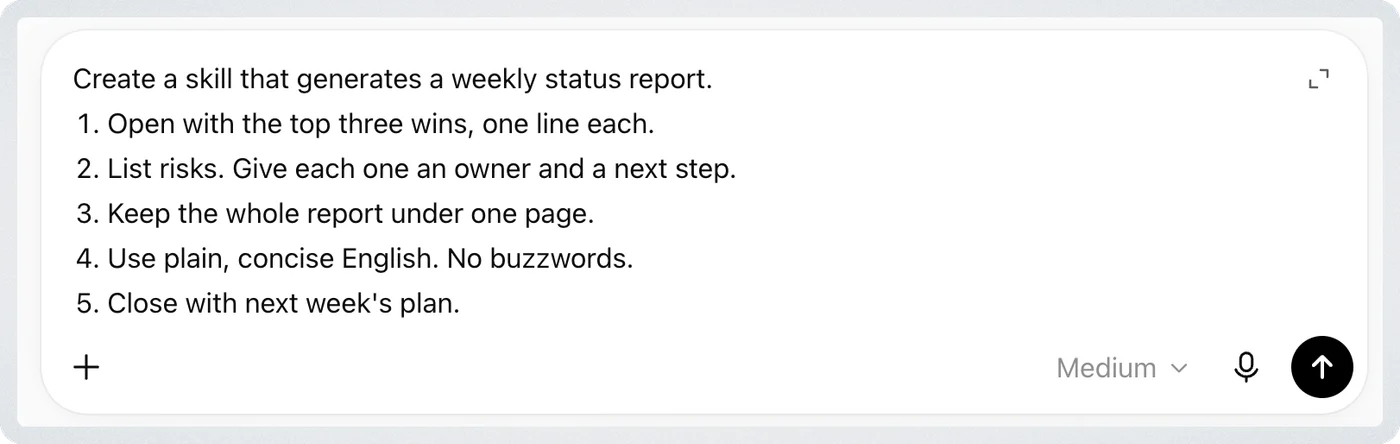
In Claude or Codex, you can also type /skill-creator and explain what you want the skill to do. AI will build it for you, and you can review, refine, and save it for future use.
Here are examples of two skills I created.
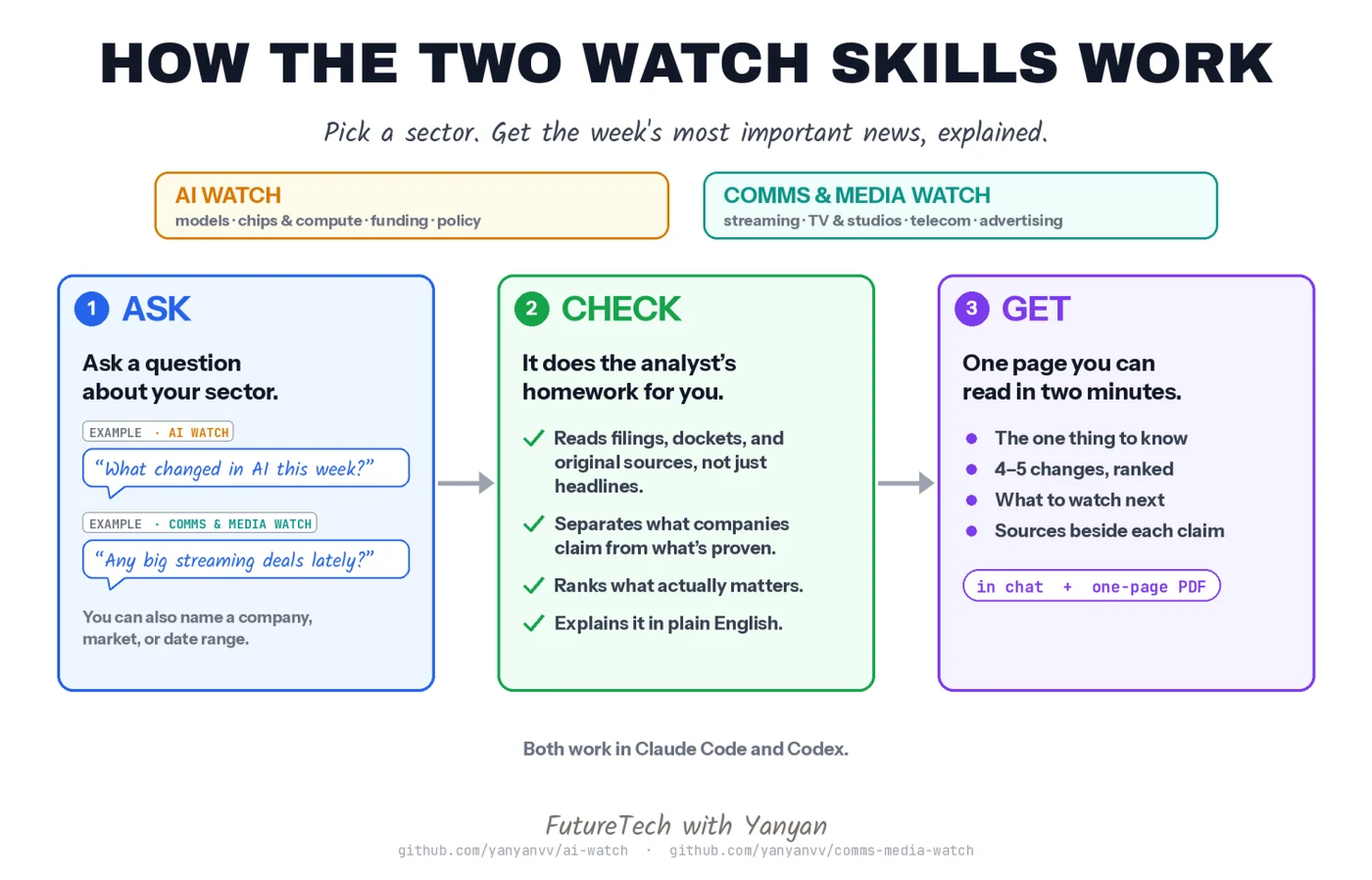
1. AI watch: https://github.com/yanyanvv/ai-watch
This skill turns Claude or Codex into your AI industry analyst: current, source-backed briefs on models, compute, capital, and policy.
2. Comms and media watch: https://github.com/yanyanvv/comms-media-watch
This skill turns Claude or Codex into your media and telecom analyst: current, source-backed briefs on streaming, broadcast, and telecom.
2. Try a ready-made skill.
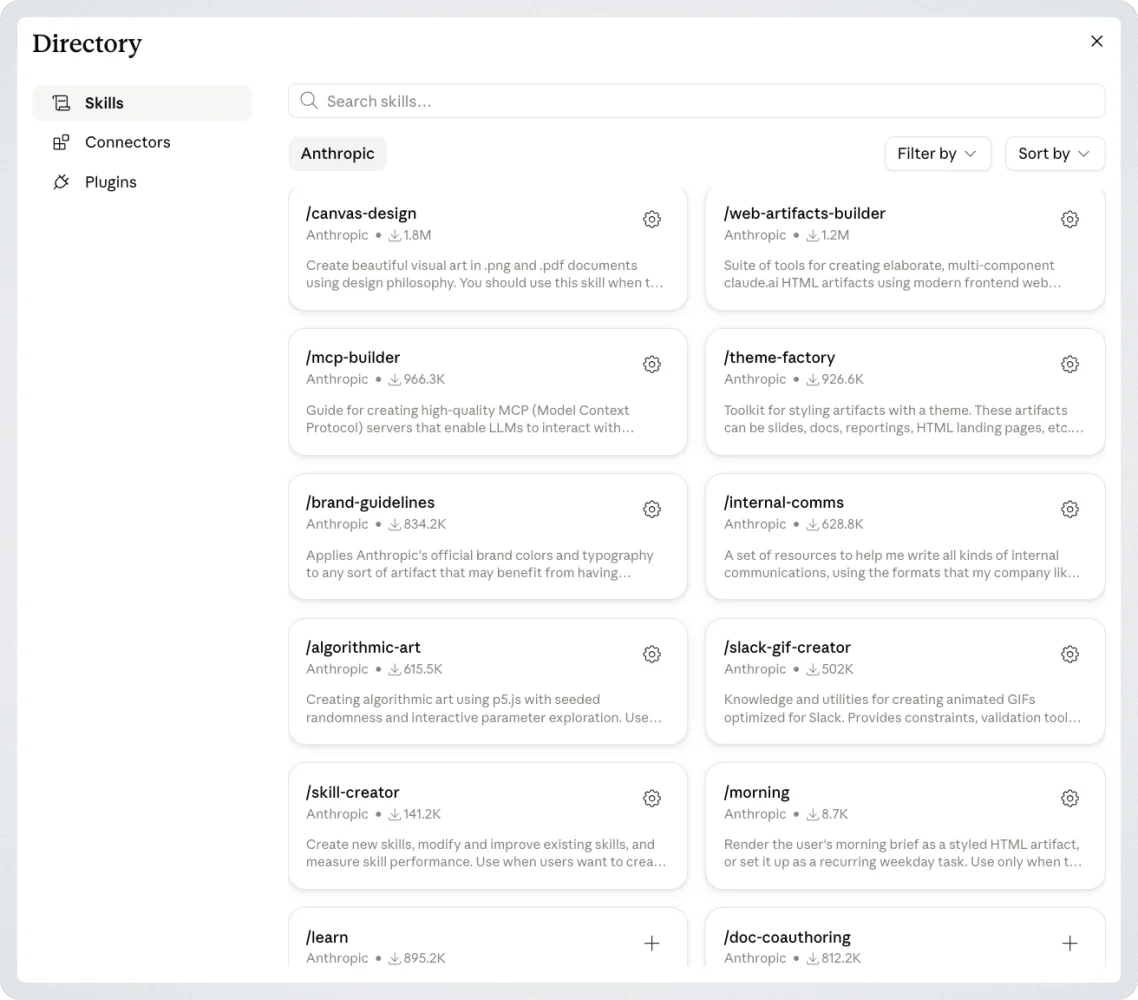
Many major AI tools already come with Skills you can try. For example, in Claude, click the + sign in the chat window → Skills → Browse skills to explore the available options. You can find built-in skills in other AI tools in a similar way.
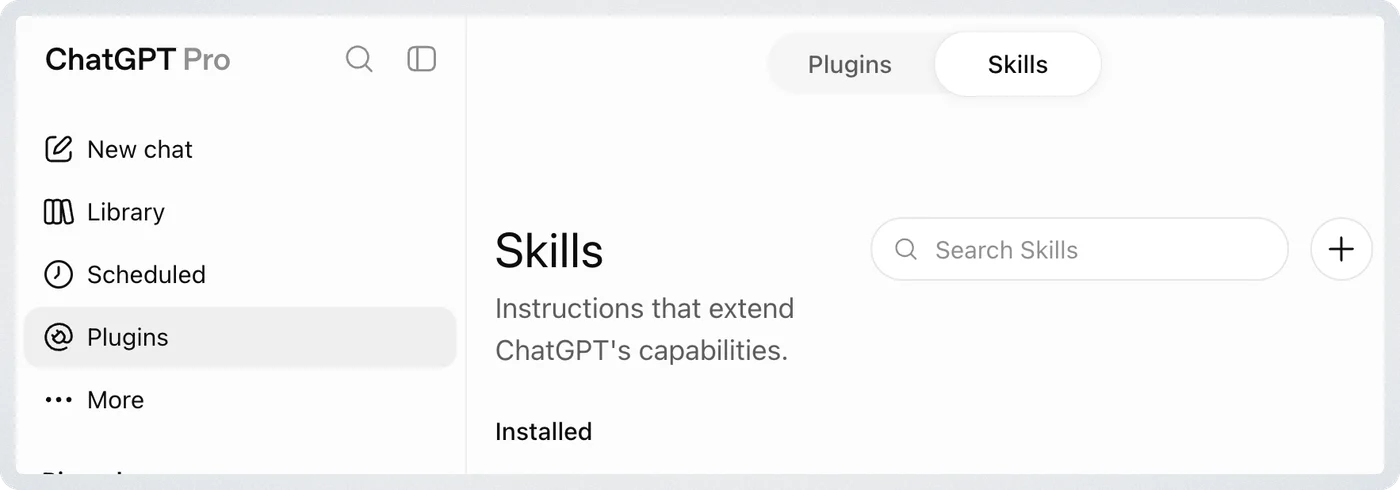
You can also install skills by simply pointing your agent at a skill repo hosted on GitHub (though before doing so, make sure to review the skill to make sure it is safe). In ChatGPT, you can install skills here.
For example, you can point your AI agent to my AI Watch and Comms and Media Watch skills and have it install them for you. The same applies to popular options like the 'grill me' skill from Matt Pocock (https://github.com/mattpocock/skills), which has your AI interrogate you over a project so you and your agents' understanding and goals are aligned. Another popular skill is GBrain (https://github.com/garrytan/gbrain) by Garry Tan, which helps your agent set up personal knowledge tools to organize information you or your company care about.
How can skills help you and your company?
- Consistency. The intern and the VP can get the same quality output, because the AI follows the same playbook for both.
- Time. If you have typed similar instructions into an AI three times, you have already written your first skill the hard way. Write it once, reuse it whenever the job comes up.
- Institutional memory. Your best people’s methods no longer disappear when they leave. Skills turn company know-how into something AI can actually use.
- Scale. When one person figures out a better way to do something with AI, everyone can benefit from it immediately.
- No lock-in. Skills are built from open, plain-text files rather than being buried inside a particular model.
In summary, skills teach AI how you want a task done, so you don’t have to explain it every time. Now try creating a skill yourself!
Enjoyed this article?
Subscribe to FutureTech
Biweekly AI & tech insights for 1,700+ readers.
Delivered by Substack. Unsubscribe anytime.