

If you can describe it, Nano Banana Pro can probably create it. That matters because most of us need decent visuals way more often than we have time, budget, or design skills for. Google's new image generation and editing model Nano Banana Pro, built on Gemini 3 Pro, is incredibly powerful. You can access Nano Banana Pro via gemini.google.com. I'll show you five practical ways to use it right now.
Example 1: Turn anything into an infographic
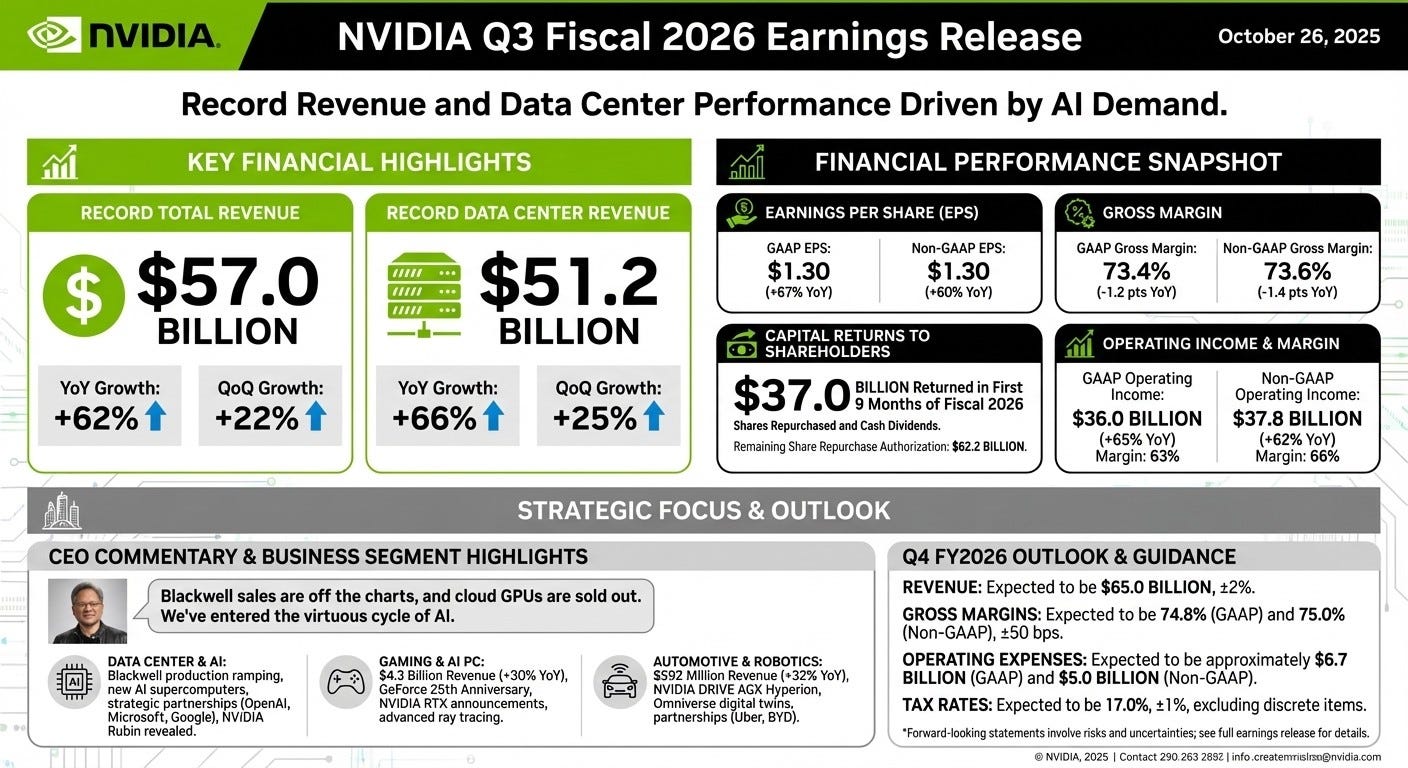
You can use Nano Banana Pro to turn anything into an infographic, from dense PDFs and press releases to meeting notes. It's perfect when you need a slide for a big meeting, a one-pager for execs, a visual summary for clients, or a shareable graphic for social. Instead of manually copy-pasting numbers into charts and fighting with layout, Nano Banana Pro pulls out the key stats, trends, and quotes and arranges them into a clean, readable visual so you can focus on the story, not the formatting.
Prompt: Turn Nvidia's latest earnings release into an infographic based on the document uploaded.
Nvidia's earnings report is downloaded from here.
Example 2: Create a logo and use that logo in product mockups
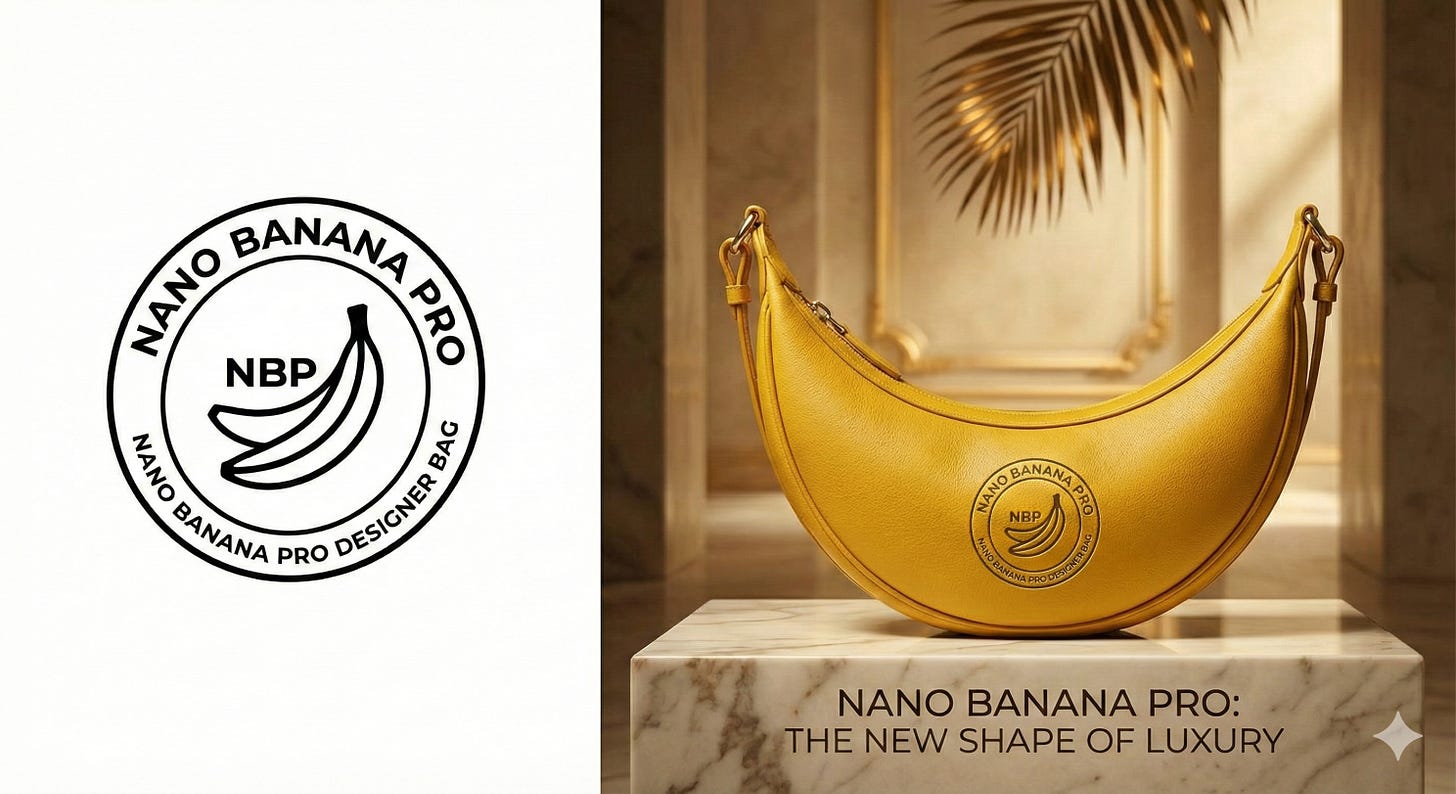
You can use Nano Banana Pro to make yourself a logo and instantly see it on product mockups. It's really handy when you need quick brand concepts for a pitch deck, client review, or ad experiment without waiting on a designer. It gives you both the mark and realistic product shots so you can test and iterate on ideas fast.
Prompt: Create a minimal logo in a circle for Nano Banana Pro designer bag, black and white. Put this logo on a high-end ad for a banana shaped designer bag. The logo is perfectly integrated into the bag. Bag is yellow color.
Example 3: Upscale low resolution images or old photos to 4K
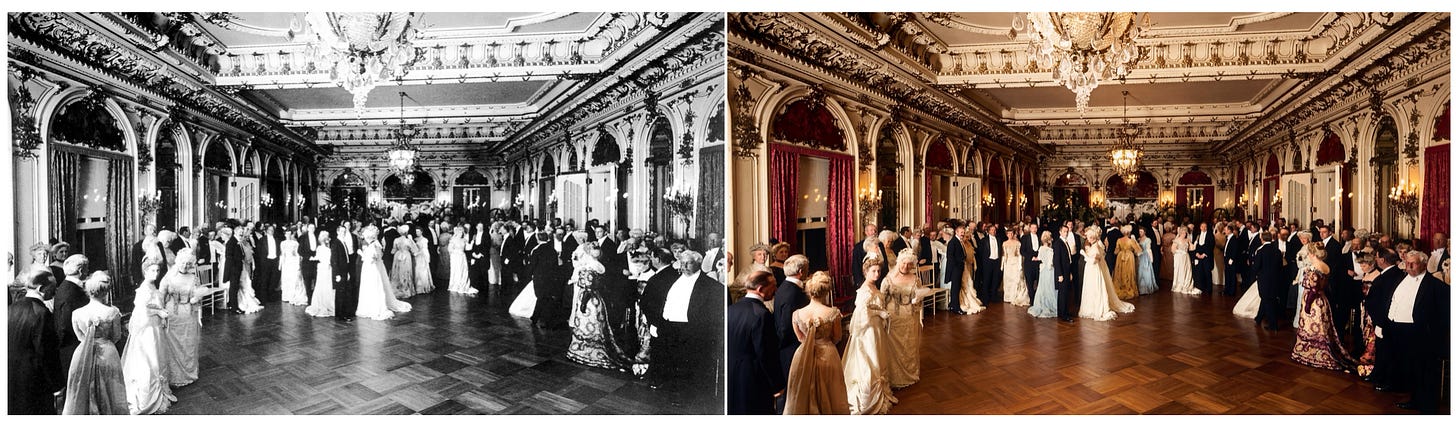
You can use Nano Banana Pro to faithfully restore old and damaged photos while upscaling them to 4K. It's useful whether you're rescuing family albums, cleaning up historic images for a presentation, or turning tiny, blurry assets into sharp visuals for decks and social posts. Instead of re-scanning or re-shooting, it recovers detail, fixes damage, and boosts resolution in one step.
Prompt: Faithfully restore this image with high fidelity to modern photograph quality, in full color, upscale to 4K.
Example 4: Use it for interior design
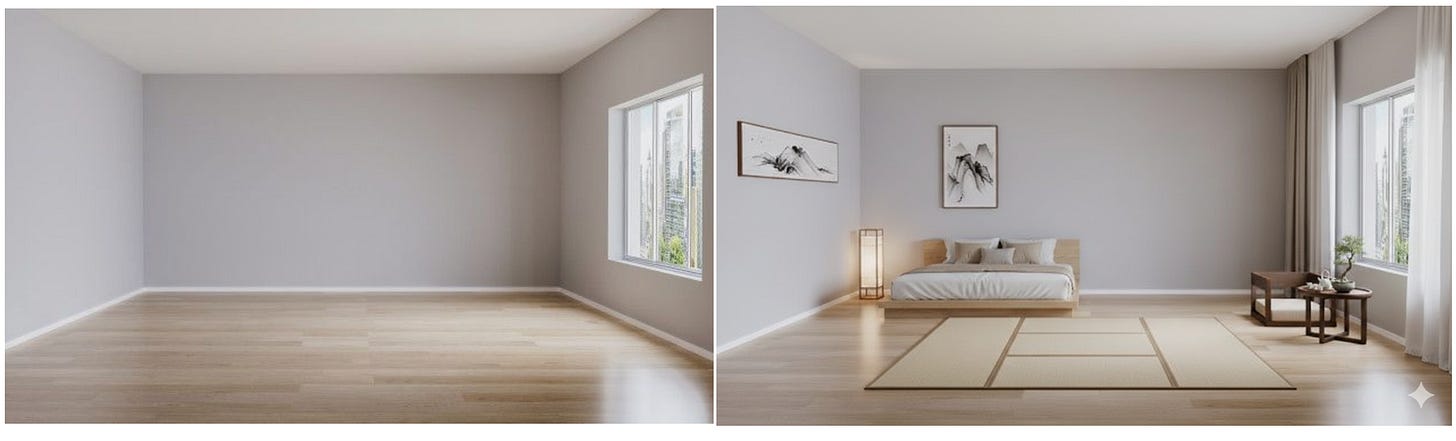
You can use Nano Banana Pro to visualize different furniture and layouts in any room when you are moving into an empty space, planning a remodel, or testing styles before you spend money. Instead of guessing from mood boards or tape on the floor, you can upload photos of your actual room and see realistic Zen, modern, or cozy variations side by side.
Prompt: Show me how this room would look with furniture in it. I like Zen style.
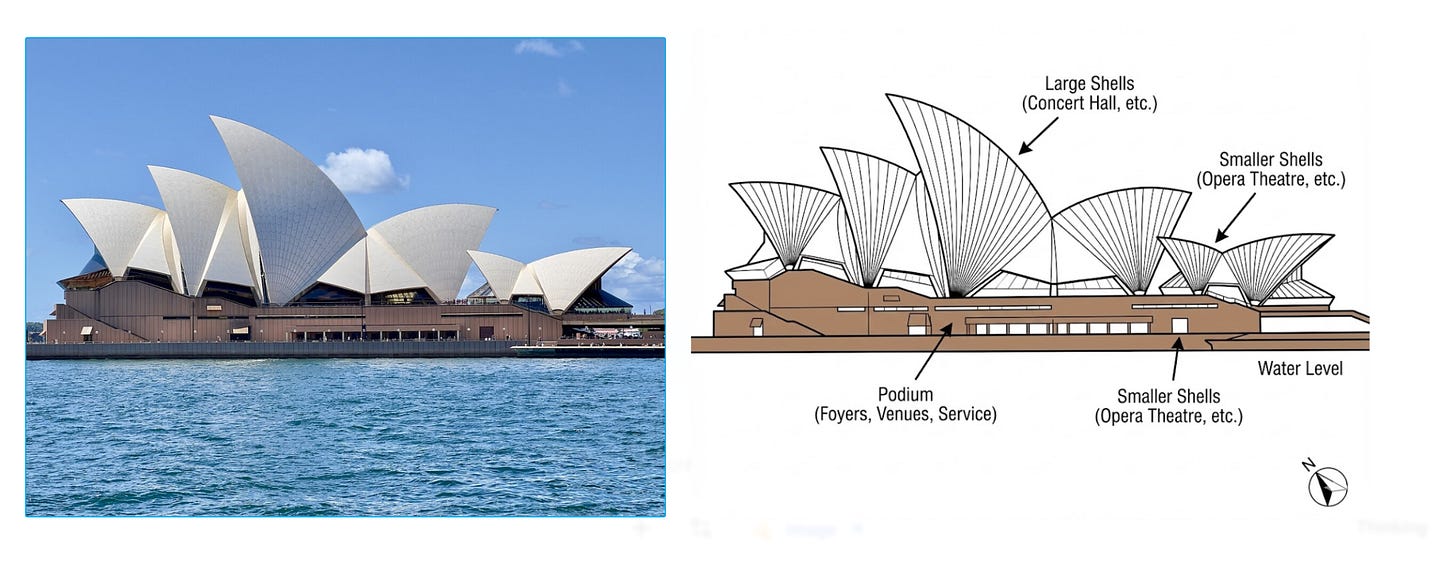
Example 5: Create a schematic diagram image based on an object
You can use Nano Banana Pro to turn real objects or buildings into clean schematic diagrams when you need visuals for architecture decks, product manuals, technical blog posts, or planning documents. Instead of drawing by yourself or hiring an illustrator, you can feed it a photo and get a diagram that highlights structure and layout.
Prompt: Create a schematic diagram image of the building in this photo.
These five examples are just a starting point, but they already cover a huge chunk of everyday creative work: reporting, branding, marketing, design, and even architectural sketching. Take one of the prompts, swap in your own docs or images, and give it a try!
Enjoyed this article?
Subscribe to FutureTech
Biweekly AI & tech insights for 1,700+ readers.
Delivered by Substack. Unsubscribe anytime.